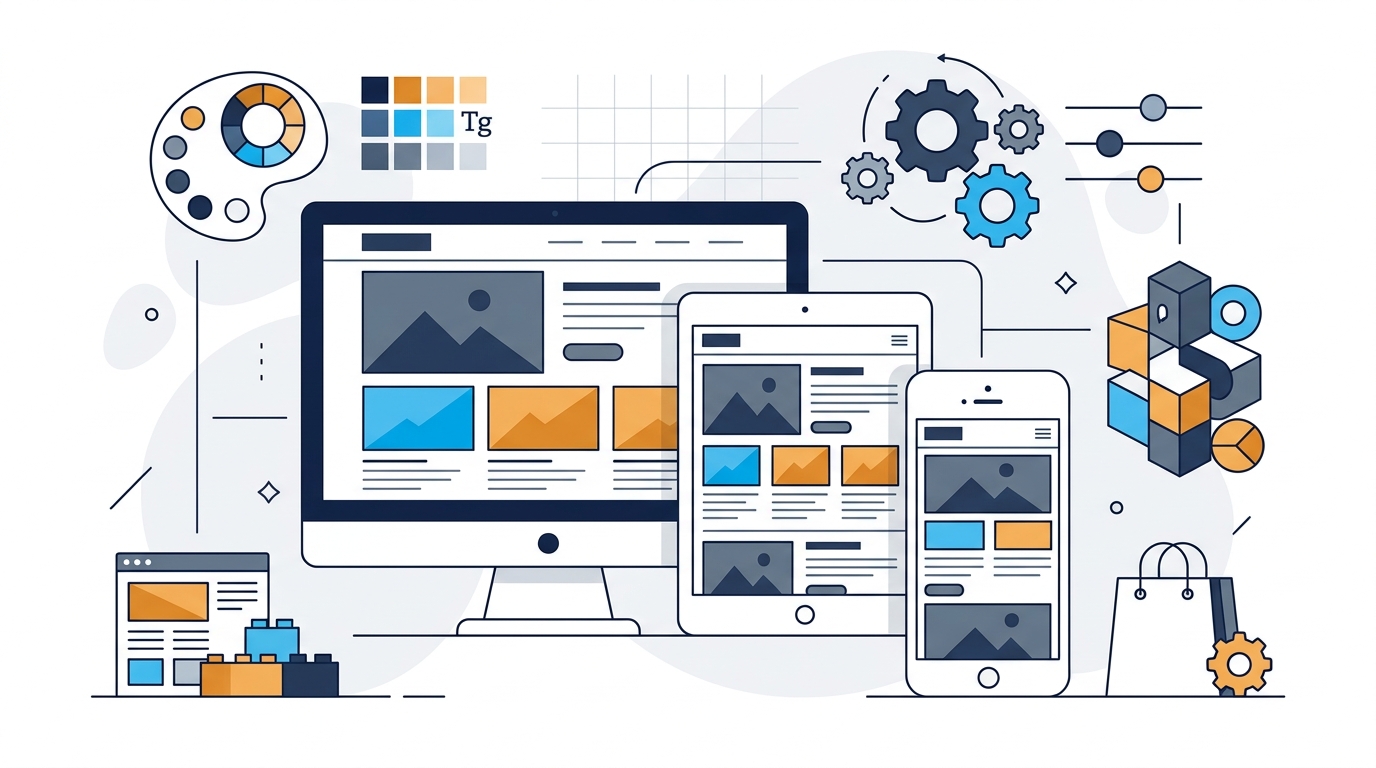
Choosing a WordPress theme is one of the most visible decisions you make when setting up a new website. With tens of thousands of free and premium options available across official directories and commercial marketplaces, it is easy to become captivated by flashy demo sites featuring dynamic video headers, animated parallax sections, and intricate layouts.
However, experienced web designers understand a fundamental truth: the most attractive theme in a live demo is not automatically the most suitable theme for your project. A theme governs far more than surface visual styling. It dictates your HTML document hierarchy, content layouts, mobile responsiveness, accessibility parameters, page rendering efficiency, WooCommerce integration, and long-term upgrade stability.
Selecting a theme based purely on superficial aesthetics often leads to frustrating technical obstacles—such as bloated page load times, rigid layout templates that resist modification, plugin incompatibilities, or abandoned codebases that break during WordPress core updates.
The right WordPress theme is never a universal absolute. Instead, it is the theme whose architectural foundation, template structures, and customization controls align directly with your website's specific goals, technical requirements, and maintenance workflows. This comprehensive guide provides an objective framework to help you evaluate, test, and select the ideal WordPress theme for your website.
What Is a WordPress Theme?
In the WordPress ecosystem, a theme is a collection of template files, stylesheets (CSS), scripts (JavaScript), and graphical assets that together determine the front-end presentation and visual styling of your website. When a visitor requests a page on your domain, WordPress executes its core PHP routines, retrieves text and media records from your MySQL database, and passes that information through your active theme's templates to generate clean HTML in the visitor's web browser.
Specifically, your WordPress theme controls:
- Page Layouts & Templates: The structural arrangement of headers, footers, sidebars, multi-column grids, and full-width containers.
- Typography: Font families, font weights, heading hierarchies (H1 through H6), body text sizing, and line heights.
- Color Schemes: Primary brand accents, background palettes, text contrast levels, and interactive link states.
- Navigation Presentation: Desktop menus, drop-down submenus, sticky navigation bars, and mobile off-canvas hamburger drawers.
- Blog & Archive Formatting: The arrangement of article cards, category listings, pagination, tags, and single post layouts.
- Responsive Behavior: How content reflows, resizes, and adapts across mobile smartphones, tablets, laptops, and ultra-wide desktop monitors.
Theme vs. Plugin: Understanding the Difference
In standard WordPress architecture, there is a clear division of responsibility: themes control presentation (how content looks), while plugins control functionality (what content does).
For example, your theme determines how a contact page is styled, but a form plugin handles the submission processing, spam filtering, and email delivery. Similarly, an e-commerce theme styles product cards, but WooCommerce handles payment gateways and tax calculations.
*Note: While some multipurpose themes bundle proprietary tools or custom post types, relying on plugins for core business functionality ensures you can change themes in the future without losing critical website data.
Start With Your Website's Requirements
Before browsing theme catalogs or marketplaces, begin with a clear, written audit of your website's operational requirements. Selecting a theme without defined specifications is like buying building materials before drawing architectural blueprints.
Consider the following foundational questions:
What Core Pages Are Needed?
Does your site require standard pages (Home, About, Services, Contact), specialized portfolio galleries, landing pages, case studies, or a multi-author editorial archive?
Will You Sell Products Online?
If e-commerce is on your roadmap, your theme must provide dedicated WooCommerce templates, AJAX cart slide-outs, product filters, and mobile-friendly checkout layouts.
How Will You Build Pages?
Will you use the native WordPress Block Editor (Gutenberg) with block patterns, a full-site editing (FSE) block theme, or a visual page builder plugin?
How Much Customization Is Needed?
Do you want an out-of-the-box turnkey design ready to publish with minimal tweaks, or a flexible blank-canvas framework that allows granular control over every spacing unit?
Defining these parameters upfront prevents you from purchasing a theme overloaded with features you will never use, or selecting an overly rigid design that cannot accommodate your core content structure. If you are starting from scratch, reviewing what you need to build a WordPress website will help you map out your domain, hosting, and software stack beforehand.
Choose a Theme Based on Website Type
Different website models have fundamentally distinct architectural demands. A design layout that functions brilliantly for a food blog will feel chaotic and unhelpful for a corporate legal practice.
Business Website
Business websites prioritize brand authority, trust, clarity of service offerings, and direct conversion pathways (such as contact forms, quote requests, or phone calls).
What to Look For: Clean, professional hero sections, dedicated service page templates, team profiles, testimonial or case study grids, clear sticky navigation with call-to-action buttons, and fast-loading contact pages with integrated map placeholders. To explore curated business designs, view our WordPress themes showcase.
Blog or Magazine
Content publications and editorial magazines depend on reader engagement, high typography readability, archive browsing, and low bounce rates across long-form articles.
What to Look For: Exceptional typographical hierarchy with comfortable line lengths (65–75 characters per line), prominent featured image placements, category and tag archive filters, related article grids, estimated read-time indicators, and clear author bio boxes.
Portfolio
Creative agencies, photographers, designers, and freelancers need themes that let visual assets and project case studies take center stage.
What to Look For: Clean, minimalist masonry and grid layouts, full-width image galleries, video lightbox support, project category filtering, client testimonial sliders, and distraction-free single project case study templates.
WooCommerce Store
E-commerce stores require themes engineered around catalog browsing speed, mobile shopping ergonomics, and friction-free checkout workflows.
What to Look For: Native product grid customization, sticky add-to-cart buttons on mobile viewports, image zoom, product variation swatches, quick-view modals, slide-out mini-carts, and distraction-free checkout templates. Ensure the theme declares official compatibility with WooCommerce core updates.
Membership Website
Membership portals, online course academies, and community forums require seamless coordination between theme templates and access-control plugins (such as MemberPress, LearnDash, or BuddyBoss).
What to Look For: Clean member login and profile dashboard layouts, distraction-free reading modes for course lessons, restricted content teasers, and clear membership tier comparison tables.
Free vs. Premium WordPress Themes
One of the first dilemmas website creators face is choosing between a free theme or purchasing a commercial premium license. Neither option is universally superior; each serves distinct needs and budget constraints.
Free WordPress Themes
Themes listed on the official WordPress.org Theme Directory must undergo a rigorous manual review process before publication, ensuring adherence to strict security standards, code hygiene, and standard WordPress APIs.
- Zero Upfront Cost: Ideal for beginners, experimental projects, and low-budget sites.
- Strict Security Vetting: Scrutinized for known vulnerabilities and privacy compliance.
- Simplified Feature Set: Less prone to code bloat and unnecessary feature clutter.
- Trade-off: Support is typically community-based in forum threads with no guaranteed turnaround time.
Premium WordPress Themes
Commercial themes sold directly by independent theme shops or through marketplaces like ThemeForest, offering expanded design systems and specialized capabilities.
- Pre-Built Starter Sites: Dozens of complete demo sites importable with one click.
- Dedicated Developer Support: Direct ticket or live chat assistance for troubleshooting.
- Advanced Customization: Deep controls for headers, mega-menus, sticky sidebars, and fonts.
- Trade-off: Annual recurring renewal fees for ongoing updates, and higher potential for feature bloat.
Importantly, quality varies dramatically within both categories. A poorly coded premium theme can degrade website performance and cause security headaches, while a high-quality free theme built on modern lightweight code can power a fast, professional business portal seamlessly.
What to Look for in a WordPress Theme: The Core Criteria
When evaluating potential themes, scrutinize these fundamental technical and operational criteria:
1. Responsive & Mobile-First Design
Over 55% of global internet traffic originates from mobile devices. Your theme must adjust fluidly to varying viewport widths. Look for touch-friendly navigation tap targets (minimum 48×48 pixels), collapsible mobile menus that close cleanly, and responsive typography that remains readable without pinch-zooming.
2. Typography and Readability
Content presentation determines whether visitors consume your writing or leave immediately. Ensure the theme supports clean font pairing, proper contrast ratios meeting WCAG guidelines (minimum 4.5:1 for body copy), sensible line-heights (1.6 to 1.8), and native local font loading to avoid external Google Font render-blocking delays.
3. Customization Controls
Verify how the theme handles visual adjustments. Modern themes leverage either the native WordPress Customizer or Full Site Editing (FSE) block styles. You should be able to modify primary brand colors, upload logos, configure header layouts, and adjust footer columns easily without editing raw PHP or CSS files.
4. Plugin Compatibility
WordPress achieves its greatest utility through plugins. Your theme should follow standard WordPress hook standards (wp_head() and wp_footer()) so that leading plugins for contact forms, SEO markup, analytics, and security operate without stylesheet conflicts. Learn more about essential extensions in our guide to WordPress plugins.
5. Accessibility Readiness
An accessible theme ensures your site is usable by people with visual, motor, or cognitive disabilities, including screen reader users. Look for themes tagged with "accessibility-ready" in the WordPress repository, which provide keyboard navigation support, skip-to-content links, and ARIA landmarks.
Performance: Is a Lightweight Theme Always Better?
In modern web publishing, "lightweight" has become the primary buzzword in theme marketing. Themes advertise total asset weights of under 50 KB or promise "sub-second load times." While starting with a lean theme is definitely advantageous, it is essential to understand how theme performance interacts with your overall website ecosystem.
A theme influences performance through:
- CSS Stylesheet Volume: Does the theme load a single bloated 500 KB stylesheet on every page, or does it utilize modular CSS that loads only the styles needed for active page components?
- JavaScript Execution: Does the theme rely heavily on jQuery animations and external slider scripts, or does it utilize modern, lightweight vanilla JavaScript?
- DOM Tree Complexity: Overly nested HTML containers created by visual builders increase browser memory consumption and slow down mobile rendering.
- Font Requests: Does the theme load 6 different Google Font weights and styles externally, delaying First Contentful Paint (FCP)?
A lightweight theme cannot make a website fast on its own. If your hosting environment has constrained CPU allocations, page caching is disabled, or you upload uncompressed 5 MB camera photos, your site will remain slow regardless of how minimal your theme is. Total website speed depends on your web host, caching layers, database efficiency, image optimization, and installed plugins combined. To ensure your server foundation is solid, read our detailed guide on how to choose the best web host.
Page Builders and WordPress Themes
Visual page builders (such as Elementor, Beaver Builder, Divi, and the native Block Editor / Gutenberg) have reshaped how websites are constructed. Instead of relying solely on fixed theme templates, page builders enable users to assemble layouts drag-and-drop.
When planning your workflow, consider how your theme interacts with your chosen builder:
- • Blank Canvas Themes:Themes like Astra, GeneratePress, and Hello are built specifically to provide a clean, blank canvas. They handle essential global typography, colors, and header/footer scaffolding while letting the visual builder control interior page sections.
- • Block Editor (Gutenberg):Modern WordPress includes robust block-based site editing natively. Choosing a theme engineered for the Block Editor eliminates the need to install third-party builder plugins, keeping your software footprint compact and clean.
- • Full Site Editing (FSE):Block themes allow users to customize headers, footers, 404 pages, and archive templates directly within the native WordPress Site Editor using blocks, providing deep visual control without third-party subscriptions.
Before committing to a theme, verify that it explicitly supports your preferred editing tool to prevent styling conflicts or double-rendering bugs.
Theme Compatibility, Updates, and Maintenance
WordPress is a living software ecosystem. The core WordPress team issues major updates multiple times per year, introducing security enhancements, PHP runtime adjustments, and new block editing APIs.
Because web technologies evolve continuously, your theme requires ongoing maintenance by its developers. An abandoned theme that receives no updates will eventually trigger PHP deprecation warnings, security vulnerabilities, or break entirely following a WordPress release.
Inspect the theme’s public changelog. Has the developer released updates within the last 2 to 3 months? Are updates merely version-number bumps, or do they detail concrete bug fixes and enhancements?
Review setup guides before buying. Clear, searchable documentation covering starter site imports, header configuration, and hook modifications saves hours of trial and error.
Verify how support requests are handled. Does the vendor provide a responsive helpdesk ticketing portal, or are users left to fend for themselves in neglected community forums?
What Should You Avoid in a WordPress Theme?
To protect your website from technical debt and painful redesigns down the road, avoid themes displaying these warning signs:
- ✕Bundled Plugin Bloat: Themes that mandate installing 15+ mandatory third-party plugins—such as proprietary slider tools, duplicate social share counters, and redundant custom post type handlers—just to display the basic homepage demo.
- ✕Proprietary Shortcode Lock-In: Themes that wrap standard page content inside proprietary shortcodes (e.g.,
[theme_column]). If you switch themes in the future, your raw page content is replaced with unreadable code fragments. - ✕Abandoned Development: Themes on commercial marketplaces whose authors have ceased replying to customer support tickets or haven't pushed an update in over a year.
- ✕Poor Mobile Navigation: Themes whose live demos exhibit jumpy hamburger menus, un-scrollable drop-downs, or unreadable mobile typography on real smartphones.
- ✕Pirated or "Nulled" Themes: Never download cracked commercial themes from unauthorized file-sharing websites. Nulled themes frequently contain obfuscated malware, backdoor administrator scripts, and spam injectors that compromise your hosting account.
How to Test a WordPress Theme Before Committing
Before paying for a premium license or investing days designing your live site, perform a systematic evaluation of candidate themes:
- Test the Live Demo on Mobile: Open the vendor's demo site directly on your physical smartphone. Test the menu, browse three pages, and verify readability without relying on desktop browser emulators.
- Inspect Desktop and Archive Views: Navigate past the flashy homepage. Check standard blog archive templates, single article views, search results, and the 404 error page.
- Review Core Web Vitals on the Demo: Run the vendor’s demo URL through Google PageSpeed Insights. Look for clean Cumulative Layout Shift (CLS) and reasonable Total Blocking Time (TBT).
- Check Recent Reviews: Read 2-star and 3-star reviews on WordPress.org or ThemeForest to see what recurring challenges active users encounter.
- Install on a Local or Staging Site: For free themes, install them first on a local staging environment (such as LocalWP) or a hosting sandbox to inspect the administrative settings before activating on production.
A Practical WordPress Theme Selection Checklist
Use this interactive reference checklist when comparing themes side-by-side. Check off each criterion as you verify it directly in the theme's specifications and live demo:
| Criteria | What to Inspect | Why It Matters |
|---|---|---|
| Responsive Design | Mobile navigation, tap targets, font scaling | Prevents visitor bounce on phones and tablets |
| Performance | Modular CSS, script count, local fonts | Improves Core Web Vitals and search rankings |
| Customization | Global colors, typography, header builder | Allows adjusting brand aesthetics without custom code |
| Plugin Compatibility | Standard hooks, WooCommerce, SEO tools | Ensures critical extensions operate without conflict |
| Updates & Support | Changelog frequency, helpdesk responsiveness | Protects against security flaws and core obsolescence |
Frequently Asked Questions
Concise, factual answers to the most common questions website creators ask when choosing a WordPress theme.
Conclusion
Selecting the right WordPress theme is about functional alignment rather than superficial flashiness. The best theme for your project is the one that accommodates your content architecture, delivers clean mobile responsiveness, respects performance boundaries, and receives dependable developer updates.
By taking the time to define your website's requirements first, scrutinizing theme code quality, testing live demos across real devices, and ensuring ongoing maintenance support, you set a resilient visual foundation that can grow alongside your brand for years to come.
Explore Curated WordPress Themes
Explore the HostingBadge Themes section to compare curated themes across WooCommerce, multipurpose, creative portfolios, and editorial magazines based on technical features, architectural design, and developer specifications.
View our side-by-side comparative analysis, pricing breakdowns, and editorial guides.