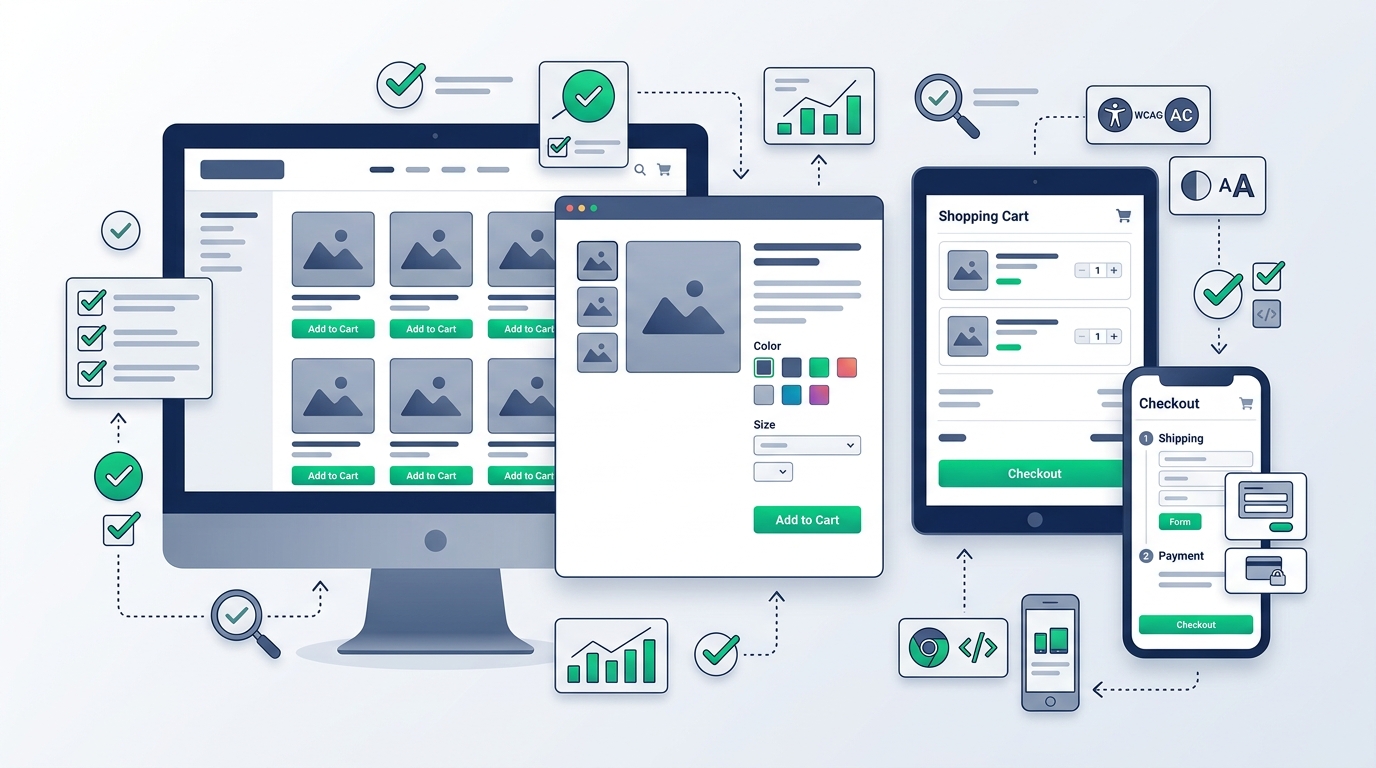
Selecting a WordPress theme for an e-commerce store is fundamentally different from picking a theme for an informational blog or a static portfolio. In an online shop, your theme does far more than determine colors and header styles: it directly shapes how prospective customers browse product catalogs, inspect photography, evaluate pricing and variations, interact with the shopping cart, and complete transactions at checkout.
While modern visual demos can make almost any theme look compelling, an attractive aesthetic alone does not guarantee a profitable, reliable store. A theme that looks stunning with eight demo products may grind to a crawl when handling a two-thousand-item catalog, or present a frustratingly clunky interface on smartphone touchscreens where the majority of modern transactions take place. Before investing time and capital into customizing an e-commerce storefront, store owners must look past promotional marketing claims and evaluate technical compatibility, template architecture, mobile behavior, navigation ergonomics, and long-term maintainability.
If you are establishing a new website from scratch, reviewing our foundational guide on how to choose a WordPress theme and our detailed inspection checklist on what to look for in a WordPress theme will provide helpful background. In this guide, we examine how those evaluation principles apply specifically to stores powered by WooCommerce.
Start With Your WooCommerce Store Requirements
Every successful store build begins with defining project parameters before browsing theme marketplaces. Themes are built around specific assumptions regarding product types, catalog density, and customer purchasing journeys. A theme engineered for an artisanal boutique selling six bespoke leather items will fail if forced to handle an industrial electronics depot with twelve thousand SKUs requiring faceted attribute filtering.
Consider the nature of your merchandise and transaction workflow across common e-commerce archetypes:
Boutique & Single-Product Stores
Stores selling 1 to 20 signature products require immersive storytelling, high-resolution lifestyle imagery, video backgrounds, and streamlined single-page or express checkout flows.
High-SKU Catalogs & Marketplaces
Stores with hundreds or thousands of products demand structured multi-level taxonomy navigation, instant live AJAX search, multi-attribute filtering (size, color, brand, price), and dense product grid options.
Variable & Apparel Retailing
Clothing, shoes, and configurable goods require native visual color swatches, size selector buttons, dynamic image gallery switching when variations are clicked, and sizing charts.
Digital Goods & Subscriptions
Software, e-books, memberships, and recurring subscription services require clean file download portals, clear licensing tables, account management dashboards, and frictionless renewal notices.
Identifying your merchandise model in advance prevents the common mistake of purchasing an elaborate theme packed with features you will never use, or selecting an oversimplified design that lacks the core filtering your inventory demands.
Check WooCommerce Compatibility First
In the WordPress ecosystem, a distinction exists between a theme that merely "doesn’t crash" when WooCommerce is active and a theme with intentional, native WooCommerce template support.
WooCommerce functions by delivering standard e-commerce logic, cart calculations, tax engines, and database tables. To render these interfaces in your visitors' browsers, WooCommerce relies on internal template files (such as archive-product.php, single-product.php, and cart.php). A dedicated WooCommerce theme overrides these default templates to supply polished typography, container alignment, responsive styling, and modern checkout components.
When inspecting a prospective theme, confirm how the developer addresses WooCommerce integration:
- Explicit WooCommerce Support: The theme should declare active compatibility with recent WooCommerce releases in its official documentation and changelog.
- Template Override Maintenance: In the WordPress admin under WooCommerce → Status → System Status, outdated template overrides will trigger red warning notices. Reputable developers update overridden templates promptly whenever WooCommerce core releases updates.
- Standard Hook Adherence: The theme should utilize standard WooCommerce action hooks (
woocommerce_before_single_product,woocommerce_after_shop_loop_item, etc.) so that third-party extensions like payment gateways, wishlist tools, and review plugins can hook in without layout breakage. - WooCommerce Block Support: Modern stores increasingly rely on the WooCommerce Cart and Checkout blocks introduced in recent core versions. Confirm whether the theme supports modern block-based checkout or defaults to legacy shortcodes.
Evaluate the Shop and Product Catalog Layout
The shop archive and category pages are the primary exploration engines for your customers. If product cards are cramped, typography is unreadable, or key purchase signals are hidden, visitors will bounce before viewing a single item in detail.
Examine the shop layout options provided by the theme:
Column Flexibility & Density
Can you adjust between 2, 3, 4, or 5 columns on desktop? Boutique luxury goods typically benefit from larger 2- or 3-column grids that emphasize high-end photography, whereas hardware and industrial stores benefit from 4- or 5-column grids that maximize items above the fold.
Product Card Anatomy
Inspect how the theme renders the product thumbnail, secondary image hover flip, brand name, category badge, product title, regular price, sale strike-through pricing, star ratings, and call-to-action buttons. Are these elements balanced, or do long titles break the grid alignment?
Pagination vs. Infinite Scroll
Does the theme offer standard numeric pagination, a "Load More" button, or AJAX infinite scroll? While infinite scroll can feel modern, standard numbered pagination is often superior for SEO crawlability and helps shoppers return to specific pages.
Sale Badges & Stock Status
Verify how promotional badges (e.g., "-25%", "Sale", "New") and inventory warnings (e.g., "Only 2 left", "Out of Stock") are displayed. They should be clear without obscuring product photos.
To see how curated e-commerce themes handle diverse catalog structures across production stores, browse our Curated WordPress Themes directory.
Look Closely at the Single Product Page
The single product page is where conversion decisions happen. Even if your marketing brings targeted traffic to your site, a poorly structured product page with confusing options will depress sales.
Carefully evaluate the following components on single product templates:
- • Product Gallery & Zoom:Does the theme utilize the standard WooCommerce gallery with lightbox, magnification zoom, and smooth thumbnail sliders? Shoppers need to inspect fabric texture, craftsmanship, and small details clearly.
- • Variation Selector UX:How does the theme present product options? Basic dropdown menus can be tedious on mobile devices. Does the theme natively support visual color swatches, button pills for sizing, and dynamic price updating when options are selected?
- • Add-to-Cart Presentation:Is the quantity selector easy to tap? Is the primary button prominent, high-contrast, and unambiguous? Does the theme offer an optional sticky add-to-cart bar for long-form product descriptions on mobile?
- • Information Hierarchy:Does the layout support clean product specifications, shipping estimates, return policies, and tabbed accordions without forcing the buyer to scroll endlessly?
- • Cross-Sells & Upsells:Check how "Related Products", "Frequently Bought Together", and upsell recommendations are arranged. They should complement the main product rather than distract from the purchase action.
Check Cart, Checkout, and Account Pages
Store owners often spend hours designing their homepage and product galleries, only to overlook the transactional interfaces: the slide-out mini-cart, the shopping cart page, the checkout form, and the customer account portal.
Cart abandonment frequently traces back to friction in these critical steps:
Slide-Out Mini-Cart
When a visitor adds an item to cart, does an unobtrusive drawer appear showing item totals, thumbnails, and quick checkout buttons without forcing a full page reload?
Distraction-Free Checkout
Does the theme support a clean, single-column or streamlined two-column checkout layout that removes header menus and sidebar clutter during payment entry?
Customer Dashboard
Does the "My Account" area feature clean styling for order history, downloadable licenses, addresses, and payment methods, or does it look unstyled and neglected?
Remember that checkout processing and payment compliance are governed by WooCommerce and your gateway extensions (such as Stripe or PayPal), while the theme dictates input spacing, button clarity, and visual trust markers.
Check Product Search, Navigation, and Filtering
If customers cannot find what they want in under thirty seconds, they leave. As a product catalog expands, robust navigation and faceted filtering become the most important functional systems on the site.
Examine the navigation tools integrated into the theme:
- Mega Menu Capabilities: If you carry dozens of categories and subcategories, does the theme support multi-column mega menus with category icons and featured promotional banners?
- Live AJAX Search: Does the search bar offer instant autocomplete suggestions showing product thumbnails and live stock status as the user types?
- Faceted Sidebar Filters: Does the theme provide widget areas or off-canvas drawers for price sliders, attribute filters (size, color, material), brand selectors, and rating filters without requiring heavy third-party add-ons?
- Breadcrumb Navigation: Are clear breadcrumbs displayed across product and category pages to help visitors navigate up the taxonomy tree?
Think About Product Images and Media
E-commerce is an intensely visual medium. However, a theme cannot fix inconsistent, poorly framed, or unoptimized photography. Before selecting a theme, consider the aspect ratio of your product catalog.
Different retail sectors require distinct image proportions:
Verify whether the theme allows you to configure image crop ratios inside the WordPress Customizer or Site Editor, and confirm that it supports modern responsive srcset attributes so mobile visitors do not download desktop-sized four-megabyte assets.
Check Mobile Shopping Experience
Across most global consumer categories, over 60% of retail website visits originate from mobile phones. Evaluating a theme solely on a 27-inch desktop monitor is a recipe for e-commerce failure.
When reviewing theme demos, open them on an actual physical smartphone or using browser responsive developer tools, and test the following:
- Thumb Navigation: Can you easily tap navigation icons, category toggles, and search buttons with one hand?
- Mobile Product Grid: Does the shop archive allow shoppers to toggle between a 1-column list view and a 2-column compact grid?
- Swipe Gestures: Can product gallery images be swiped horizontally on touchscreens without page jitter?
- Off-Canvas Drawers: Are filters, the shopping cart, and the mobile menu tucked into smooth slide-out drawers rather than cluttering the screen?
- Form Usability: Are checkout input fields properly formatted so that the mobile operating system triggers the correct keyboard (numeric keypad for zip codes and credit cards, email keyboard for email fields)?
Check Theme Customization Options
Your theme must give you the freedom to align your store with your visual brand identity without requiring edits to PHP template files.
Modern WooCommerce themes generally adopt one of three editing paradigms:
Classic Customizer
Uses the native WordPress Customizer panel with real-time visual previews for typography, color palettes, container widths, and layout toggles.
Full Site Editing (FSE)
Modern block themes built entirely around the Gutenberg Block Editor, allowing block-level editing of headers, footers, and product templates.
Page Builder Integration
Themes engineered to work alongside visual builders like Elementor or proprietary drag-and-drop header/footer builders.
More customization settings do not automatically make a theme superior. Themes with thousands of nested options can introduce configuration confusion, whereas well-engineered themes provide thoughtful defaults with clean controls where they matter most.
Consider Performance Carefully
Performance is critical for any e-commerce operation. When page response times lag, friction increases and checkout drop-off rises. However, store owners must be discerning when evaluating performance claims made by theme developers.
Marketing copy frequently displays badges claiming "100% Google PageSpeed" or "Ultra-Fast 0.2s Load Time." In reality, these tests are conducted on stripped-down demo servers hosting two empty products, with no active payment gateways, no marketing tracking scripts, and heavy static caching enabled. Once you install real plugins, upload full-resolution photography, configure live shipping rates, and handle uncached checkout traffic, real-world speeds will differ.
Rather than relying on marketing claims, evaluate a theme's underlying technical discipline:
- Modular Asset Loading: Does the theme split its CSS and JavaScript so that code for features you do not use (e.g., product comparison popups or countdown timers) is not loaded on every page?
- Minimal External Dependencies: Does the theme rely on native browser APIs and lightweight vanilla JavaScript, or does it load obsolete jQuery libraries, multiple font weights, and heavy animation frameworks?
- Dynamic Caching Compatibility: In WooCommerce, cart, checkout, and account pages must bypass standard page caching to ensure customer sessions do not mix. A good theme respects WooCommerce session cookies and functions smoothly alongside server-level caching tools like LiteSpeed Cache or Redis object caching.
Keep in mind that overall website performance depends on your complete hosting stack, database health, image optimization, and plugin count—not just the theme alone.
Check Compatibility With Your WooCommerce Plugins
No e-commerce store runs on WooCommerce and a theme alone. Real-world stores require an ecosystem of specialized extensions:
If a theme heavily customizes WooCommerce templates using proprietary code rather than standard hooks, it may conflict with payment gateway credit card fields, break shipping calculator AJAX calls, or fail to display subscription renewal terms.
For an overview of essential plugins that pair reliably with modern store themes, review our WordPress plugins guide.
Consider Accessibility (A11y)
Digital accessibility ensures that all customers—including those with visual, motor, or cognitive impairments—can browse your catalog and complete purchases using assistive technologies such as screen readers or keyboard-only navigation.
When inspecting a WooCommerce theme, check these practical accessibility fundamentals:
- Keyboard Navigability: Can you tab through the main menu, product grid, variation selectors, and add-to-cart button using only the keyboard? Is the active focus outline clearly visible?
- Screen Reader Labels: Do interactive shopping elements (such as mini-cart counters, wishlist hearts, and remove-item icons) include descriptive
aria-labeltags rather than empty icon links? - Color Contrast: Are text elements, sale prices, and button labels legible against their background colors, meeting WCAG AA contrast standards?
- Form Input Labels: Do checkout fields have permanent, visible labels rather than relying solely on disappearing placeholder text?
A theme alone cannot make your store fully accessible; product descriptions, alt text, and color selections also require ongoing care from the store administrator.
Check Theme Updates and Long-Term Maintenance
An e-commerce store is an active commercial operation. Unlike a static brochure site, WooCommerce undergoes rapid development cycles with multiple minor and major releases every year.
Before committing to a theme, inspect its maintenance track record:
- Recent Release Date: Has the theme received an update within the last 60 to 90 days? A theme that has not been updated in over six months poses compatibility risks when WooCommerce updates its template files.
- Detailed Changelog: Does the developer publish transparent changelogs detailing bug fixes, security patches, and WooCommerce version bumps?
- Support Channels: What channels exist if you encounter a bug? Are there searchable knowledge bases, active ticketing systems, or community forums?
Review Licensing and Renewal Terms
E-commerce themes operate under a variety of commercial licensing models. Carefully verify what you are purchasing before deploying:
- • Site Licenses:Does the license allow deployment on a single domain, or does it include staging environments and client domains?
- • Renewal Structure:Does the license require an annual renewal fee for continued security updates and support, or is it a one-time purchase with limited support?
- • Expiration Behavior:If you choose not to renew an annual license, does the theme continue to function, or are you locked out of essential template updates?
- • Refund Terms:Does the vendor provide a realistic money-back guarantee (e.g., 14 to 30 days) allowing you to test compatibility on your staging environment risk-free?
Watch for Theme Lock-In
In WordPress development, the golden architectural rule is: themes control presentation; plugins control business functionality.
Some e-commerce themes blur this line by hardcoding custom post types (like portfolios or testimonials), proprietary product badges, custom mega menus, and shortcodes directly into the theme's core files rather than keeping them modular.
If you ever decide to redesign or change themes in two years, switching away from a theme with severe lock-in can leave thousands of broken shortcodes across your product descriptions and break your custom product layouts. Whenever possible, choose themes that handle styling cleanly and rely on standard WooCommerce attributes and modular plugins for business logic.
Free vs. Premium WooCommerce Themes
Both free and commercial themes have legitimate roles in e-commerce. As detailed in our comprehensive comparison of free vs. premium WordPress themes, the right decision depends on your budget, feature requirements, and technical confidence.
Free Themes (e.g., official themes on WordPress.org): Offer clean code, zero upfront financial cost, and adherence to strict WordPress coding standards. They are ideal for bootstrapped stores, MVP product validation, and simple catalogs where advanced built-in features are unnecessary.
Premium Themes: Typically include advanced e-commerce components (AJAX variation swatches, sticky mobile checkout, slide-out carts, built-in header builders) and direct developer support. For an established business, having dedicated technical support can easily justify the initial investment.
WooCommerce Theme Evaluation Checklist
Use this practical summary table when comparing prospective WooCommerce themes side by side:
| Evaluation Criteria | What to Check | Why It Matters for Your Store |
|---|---|---|
| WooCommerce Core Support | Check system status for outdated template override warnings. | Prevents broken cart, checkout, and inventory notices during core updates. |
| Catalog & Grid Layout | Column toggles, title height handling, and pricing clarity. | Ensures smooth browsing tailored to your specific catalog density. |
| Single Product Page | Image zoom, variation swatches, and prominent add-to-cart buttons. | Removes friction at the primary customer purchasing decision point. |
| Cart & Checkout Flow | Slide-out mini-cart and distraction-free checkout form styling. | Minimizes cart abandonment during the final payment sequence. |
| Mobile Touch UX | One-handed menu navigation, touch swatches, and responsive grids. | Accommodates the majority of modern mobile retail traffic. |
| Search & Filtering | AJAX autocomplete search and multi-attribute sidebar filters. | Allows shoppers to locate specific products rapidly in medium-to-large catalogs. |
| Modular Performance | Conditional asset loading and caching tool compatibility. | Keeps server response fast without unnecessary script overhead. |
| Plugin Interoperability | Adherence to standard WooCommerce action and filter hooks. | Ensures payment gateways, shipping, and tax plugins hook in cleanly. |
| Active Maintenance | Changelog frequency, developer reputation, and support responsiveness. | Protects your store against sudden security holes and software abandonment. |
| Lock-in Prevention | Separation of styling from proprietary content and post types. | Ensures your product database remains fully portable if you switch themes later. |
Questions to Ask Before Choosing a WooCommerce Theme
Before finalizing your theme purchase or activating it on your live store, run through this interactive checklist:
Frequently Asked Questions
Clear, factual answers to common questions about selecting and managing a WordPress theme for WooCommerce.
Conclusion: Selecting the Right Foundation for Your Store
There is no single "best" WooCommerce theme that universally suits every merchant. An enterprise marketplace carrying thousands of SKUs demands an entirely different template architecture, navigation density, and filtering framework than a bespoke artisan bakery shipping three seasonal items.
The most effective theme for your WooCommerce project is the one that directly matches your inventory structure, delivers clean mobile ergonomics, adheres strictly to WordPress and WooCommerce coding standards, receives continuous developer updates, and avoids locking your product data into proprietary shortcodes. By evaluating prospective themes against concrete requirements rather than glossy marketing claims, you build your e-commerce operation on a durable, scalable foundation.
To inspect curated, production-tested options across diverse store categories, explore our Curated Themes Showcase, or consult our broader guide on what to look for in a WordPress theme for additional technical evaluation criteria.
View our side-by-side comparative analysis, pricing breakdowns, and editorial guides.