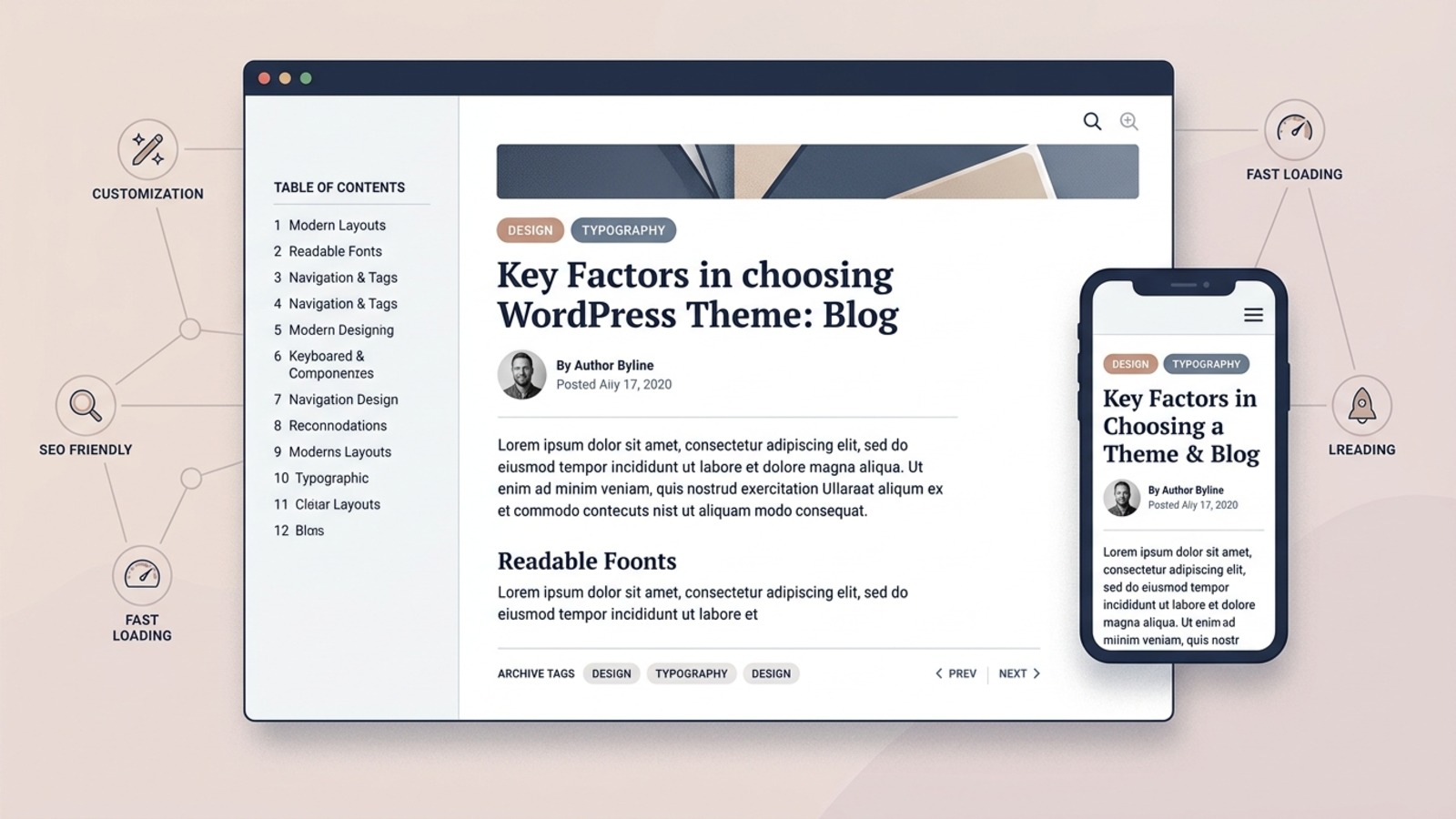
Choosing a WordPress theme for a blog requires a completely different mindset than selecting a theme for an online store or corporate brochure. While an e-commerce theme prioritizes conversion funnels and product filters, a blog theme exists for one fundamental purpose: to present written thought, reporting, and instructional knowledge in a format that readers can effortlessly discover, absorb, and navigate.
Eye-catching visual demos often look stunning with five pre-styled posts and high-contrast stock photography. But when your publication expands to hundreds of articles across dozens of categories, the true test of a theme emerges. In this comprehensive guide, we examine how to evaluate a WordPress theme for content-focused websites, examining typography, information architecture, archive layouts, mobile ergonomics, performance, and long-term content portability.
1. Start With the Type of Blog You Are Building
Match theme layout patterns with your publication cadence, content volume, and editorial format.
The term “blog” encompasses a vast spectrum of digital publications. A personal essayist publishing twice a month has fundamentally different layout needs than an active tech newsroom producing six articles a day or a food blogger reliant on high-resolution step-by-step imagery. Before browsing theme marketplaces or the WordPress directory, define your publication model:
Personal & Professional Blogs
Focuses on long-form essays, career reflections, and thought leadership. Needs a minimalist single-column reading container, distraction-free margins, subtle author identity, and a calm chronological archive.
Niche Content & Affiliate Sites
Centred around instructional guides, product comparisons, and problem-solving articles. Requires structured table of contents support, highlighted callouts, comparison tables, and clear category navigation.
News, Magazines & Editorial Portals
Publishes high daily article volume across multiple beats. Requires multi-column homepage grids, breaking news ticker blocks, category-filtered content modules, and prominent author bylines.
Tutorial & Educational Publications
Contains comprehensive walk-throughs, technical snippets, and reference lists. Demands crisp syntax-highlighted code styling, multi-level heading hierarchy, and persistent sidebar navigation.
When reviewing candidate themes, ask whether the template design still works when your archive holds 50, 200, or 1,000 articles. If a theme relies on massive hero sliders that require daily manual curation, it may become an administrative burden for a solo publisher.
2. Think About Your Content Structure
How WordPress organizes articles into taxonomies, post types, and archives.
WordPress provides a structured content hierarchy out of the box: Posts (dated editorial articles), Pages (static information like About or Contact), Categories (broad topical buckets), Tags (granular cross-topic descriptors), Author Archives, and Date Archives. A competent blog theme understands this native taxonomy and renders each level with clarity.
The "Demo Post Illusion" in Theme Marketplaces
Many commercial theme demos look visually balanced only because the designer curated exactly three posts with matching title lengths and identical monochrome photos. When you install the theme and publish real content—some titles spanning three lines, some posts lacking featured images, and some articles tagged across multiple topics—untested themes frequently break, misalign grid rows, or truncate text awkwardly.
Inspect how the theme handles articles of variable lengths. Does the post grid enforce consistent card heights? Does it provide elegant fallback placeholders when an article has no thumbnail? Does it display category links without overlapping the headline?
3. Evaluate the Blog Homepage
Balancing visual curation against chronological clarity and navigation simplicity.
Your homepage acts as the digital front porch of your publication. Depending on your publishing cadence, themes generally employ one of three architectural approaches:
Traditional Chronological Feed
Presents full articles or summary excerpts ordered by publication date. Ideal for personal blogs, journals, and dedicated columnists where readers follow the author’s sequential journey.
Featured Article Lead with Editorial Grid
Showcases one or two marquee flagship pieces in a large hero layout, followed by a tidy two- or three-column grid of recent posts. This layout provides visual impact while keeping the archive accessible.
Category-Curated Magazine Sections
Organizes the homepage into distinct editorial blocks (e.g., “Web Hosting Reviews”, “Domain Guides”, “Tutorials”). Essential for multi-topic publications where readers seek specific topic silos.
Key Homepage Elements to Inspect:
- Post Excerpts: Does the theme generate clean custom excerpts, or does it unceremoniously chop sentences in mid-word?
- Metadata Display: Can you toggle dates, author names, comment counts, and category badges on or off independently?
- Pagination Mechanics: Does the theme support accessible numerical pagination (Page 1, 2, 3), standard previous/next links, or infinite scroll? (Numerical pagination is generally superior for indexing and search engine crawlers).
4. Prioritize Typography and Readability
The foundation of content consumption: typography, scale, line rhythm, and optical contrast.
On an e-commerce website, visual photography drives purchasing decisions. On a blog, typography is the user interface. If your typography causes eye fatigue, readers will abandon your article within thirty seconds regardless of how authoritative your research may be.
Reading Measure (Line Length)
The human eye tires quickly when scanning lines that span the entire screen width. Optimal line length for long-form prose is between 50 and 75 characters per line (approximately 680px to 800px max width). Avoid themes that let article text stretch full-width across wide monitors.
Vertical Rhythm & Line Height
Body text requires comfortable breathing room. Look for body line heights between 1.5 and 1.8 relative to font size (e.g., 18px text paired with 28px–32px line height). Cramped line spacing creates an intimidating "wall of text" sensation.
Heading Hierarchy (H1 to H4)
Headings must have distinct visual weight and proportional spacing. An H2 should clearly delineate major chapters, while H3 headings segment detailed sub-points. The spacing above a heading should be noticeably larger than the spacing below it, optically anchoring the title to its respective section.
Text Contrast & Link Styling
Light gray body copy on white backgrounds fails accessibility baselines and causes immediate strain. Body text should use rich charcoal or deep slate shades (#1e293b, #334155). Furthermore, in-text hyperlinks must be immediately distinguishable from surrounding prose through bolding, underline decoration, or clear brand colors.
Examine secondary editorial elements as well: does the theme style blockquotes with visual dignity? Are bulleted and numbered lists given generous indentation? Do tables retain clean borders, and are image captions clearly differentiated from regular body text?
5. Evaluate the Single Post Layout
Where readers spend 90% of their time: anatomy of an article container.
Most visitors will never enter through your homepage; they discover individual articles via search results, social shares, or direct links. Therefore, the single post layout (single.php) is the true flagship template of any blog theme.
Key Single Post Elements to Audit
6. Categories, Tags, Archives, and Navigation
Helping readers and search crawlers discover your deep historical catalog.
A successful blog does not just display current posts; it invites readers to explore past writing. Your theme must provide structured archive templates for categories, tags, and dates. Check whether category archive pages display category descriptions—an invaluable feature for thematic context and topic orientation.
Remember that internal linking is an editorial responsibility, but the theme must support it visually. Clean breadcrumb trails (e.g., Home > Blog > Category > Article) orient the reader, while related post modules at the foot of an article keep visitors engaged with contextually relevant follow-up reading.
7. Search and Content Discovery
Evaluating the on-site search interface and result presentation.
As your archive grows beyond 50 articles, internal search becomes a primary discovery channel for motivated readers. Examine the theme’s search experience:
- Search Accessibility: Is the search bar easily discoverable in the navigation header or sidebar without requiring three clicks?
- Results Layout: Does the search results template (
search.php) display article titles, highlighted excerpts, dates, and thumbnails, or does it dump unformatted links? - Zero-Result Fallbacks: When a search yields no matches, does the theme present a courteous fallback message offering popular categories or recent posts, rather than a blank white screen?
Note: Theme templates control how search results look, but result relevance is handled by the WordPress database query engine or dedicated search plugins.
8. Mobile Reading Experience
Testing touch usability, typography scaling, and distraction-free mobile reading.
The majority of blog traffic originates from mobile devices via social feeds, messaging apps, and mobile search queries. A theme that looks magnificent on a 27-inch studio monitor can quickly collapse into an unreadable mess on a compact smartphone.
Fluid Font Scaling
Verify that massive desktop H1 headlines scale down appropriately on small screens to prevent three-word titles from consuming the entire first screen.
Sticky Element Discipline
Be cautious of themes featuring bulky sticky headers, floating social sharing ribbons, and bottom newsletter prompts that simultaneously crowd a small screen, leaving only two lines of actual text visible.
Horizontal Overflow Protection
Ensure embedded code blocks, data tables, and widescreen images allow touch-friendly horizontal scrolling within their containers rather than breaking the entire page’s viewport.
Touch Target Sizing
Category pills, tag links, and menu buttons must maintain minimum 44×44px hit areas to prevent frustrating mis-taps on handheld touchscreens.
9. Performance Considerations for Blog Themes
Understanding theme asset discipline without relying on speculative speed benchmarks.
Overall website performance is an ecosystem result: it depends on your web hosting server stack, caching implementation, image dimensions, active plugins, and theme code efficiency. A blog theme cannot rescue an underpowered server, but a bloated theme can easily sabotage an otherwise fast website.
What to Inspect in Theme Architecture
- Modular Asset Loading: Well-engineered themes only load CSS and JavaScript on pages where those features are actually present. A contact form script should never load on single blog posts.
- Elimination of Heavy Slider Dependencies: Themes that require heavy third-party animation libraries or multiple icon font bundles burden mobile data connections unnecessarily.
- Caching System Compatibility: Ensure the theme cooperates smoothly with standard page caching, object caching, and minification tools without triggering styling glitches or JavaScript runtime errors.
10. Images and Featured Content
Consistent aspect ratios, responsive srcset generation, and editorial caption styling.
Editorial illustrations and photography ground your articles in visual reality. A competent blog theme handles media files with geometric consistency:
Standard Aspect Ratios
Look for themes that standardize on recognized aspect ratios (such as 16:9 or 3:2) across archive grids. Inconsistent ratios cause ragged post cards and uneven vertical alignment.
Core Responsive Image Support
Verify that the theme honors native WordPress srcset attributes, serving smaller thumbnail files to mobile devices rather than pushing desktop-resolution assets to 5-inch screens.
11. Accessibility and Readability
Inclusive design principles: contrast ratios, focus states, and keyboard navigation.
An accessible blog ensures that your writing can be enjoyed by everyone, including readers with visual impairments, motor challenges, or situational limitations. When reviewing theme demos, evaluate these essential accessibility fundamentals:
- Visible Focus Rings: When navigating with the Tab key, does an obvious outline indicate which link, button, or input field is currently active?
- Semantic Heading Order: Does the template reserve the
<h1>tag exclusively for the post title, followed sequentially by H2 and H3 elements? - Skip to Content Links: Does the theme provide an accessible “Skip to content” link enabling screen-reader users to bypass repetitive header navigation?
- Accessible Mobile Navigation: Can the mobile hamburger menu be opened, navigated, and closed using standard keyboard and screen-reader controls?
12. SEO-Friendly Blog Theme Fundamentals
Technical markup hygiene, indexable archives, and search engine compatibility.
No WordPress theme can guarantee search engine rankings. Rankings depend on thorough editorial research, content freshness, internal architecture, backlinks, and meeting user search intent. What an SEO-friendly theme does provide is a clean, compliant foundation that allows search crawlers to index your content without friction.
Semantic HTML Structure
Clean use of <article>, <header>, <main>, and <footer> elements helps search engines parse the core document content.
SEO Plugin Harmony
The theme should avoid injecting proprietary meta tags or rigid structured data that conflict with established SEO toolkits like Yoast or Rank Math.
13. Blog Themes and Page Builders
Weighing native WordPress Block Editor simplicity against visual builder complexity.
One of the most consequential decisions when building a blog is choosing your editing stack. Modern WordPress features a powerful native Block Editor (Gutenberg). However, many commercial themes still promote drag-and-drop page builders. Consider the practical trade-offs:
Native Block Editor Themes
Generates lightweight, semantic HTML. Articles stay clean and portable. Updates rarely break layouts, and authoring new posts feels fast, natural, and integrated directly into WordPress core.
Third-Party Page Builders
Provides drag-and-drop visual layout flexibility for non-technical users. However, they add substantial CSS/JS overhead, increase database complexity, and wrap your editorial content in proprietary shortcodes.
For content-heavy blogs, we generally recommend choosing a theme optimized around native WordPress blocks. Using a complex builder for simple articles is rarely necessary and often complicates future redesigns.
14. Plugin Compatibility
Ensuring standard hooks support your essential publishing toolset.
Every active blog relies on supplementary tools: newsletter subscription forms, caching suites, security scanners, analytics trackers, and contact forms. A well-coded theme acts as a hospitable host for these tools by strictly adhering to standard WordPress action hooks (wp_head, wp_footer, and the_content).
Explore our curated guide on essential WordPress Plugins & Tools to understand which utilities truly belong in a content-first publishing stack versus features that your theme should handle natively.
15. Author Pages and Multiple Contributors
Supporting single-author voices and collaborative editorial teams transparently.
If you operate a solo blog, you may want to minimize repetitive author bylines on every post card. Conversely, if your site features multiple staff writers, guest contributors, or subject-matter reviewers, your theme must support dedicated author profile boxes and author archive pages (author.php) highlighting their professional bio, avatar, and social links.
16. Comments and Community Features
Evaluating discussion thread typography, nested replies, and mobile forms.
Reader comments can transform static articles into vibrant community dialogues. If your publication values feedback, test the theme’s comment section template:
- Does the theme format nested replies cleanly without pushing narrow boxes off the screen?
- Are comment input fields accessible with visible labels and clear submit buttons?
- Does the theme allow you to cleanly disable comments on older posts without leaving broken residual headings?
17. Customization and Long-Term Maintenance
Global styles, child themes, and maintaining adjustments safely across updates.
Every blog will eventually require small brand adjustments—a color tweak, a logo resize, or customized spacing. When evaluating a theme, examine how customizations are stored:
Never edit parent theme files directly; any update released by the developer will immediately overwrite your modifications. Reputable themes provide extensive Global Styles controls, native block settings, or official child theme templates to ensure your design modifications survive ongoing updates.
18. Updates, Support, and Documentation
Vetting developer track records, changelogs, and customer support channels.
WordPress core updates approximately three times per year with major functional releases and monthly security patches. A blog theme that is abandoned by its creators will eventually develop compatibility friction with new editor features or PHP versions.
Developer Due Diligence Checklist:
- Changelog Recency: Has the theme received an update within the last 60 to 90 days?
- Support Forums: Are support tickets answered politely and thoroughly, or are user inquiries ignored for months?
- Documentation Quality: Does the developer provide searchable written tutorials, or are you left to guess how custom layout blocks operate?
19. Free vs Premium Themes for Blogs
Understanding when open-source directory themes excel and when commercial licenses make sense.
For an in-depth analysis of licensing economics, consult our dedicated guide on Free vs. Premium WordPress Themes. In the context of blogging:
When Free Themes Shine
Themes in the WordPress.org repository are free of security vulnerabilities and bloat because they must pass rigorous manual code review. For solo writers and informational blogs, a free theme provides a reliable, secure foundation without recurring fees.
When Premium Themes Make Sense
Commercial themes offer value when you need dedicated one-on-one developer ticket support, specialized magazine layout blocks, curated typography pairings, or built-in subscriber management tools.
20. Theme Lock-In and Content Portability
Protecting your articles from proprietary shortcodes and messy redesign migrations.
Your content is your publication's most valuable asset. A critical risk when choosing a WordPress theme is proprietary lock-in. If a theme forces you to format articles using custom shortcodes like [theme_callout] or [theme_author_box], switching themes in three years will leave your posts riddled with raw, unrendered code text.
21. A Practical Blog Theme Checklist
An interactive 14-item evaluation checklist to vet candidate themes before deployment.
Use this interactive evaluation checklist while testing candidate theme live demos or test installs. Click each requirement as you confirm it:
Does the theme layout fit my specific type of blog and publishing schedule?
Ensure the theme template accommodates your publication frequency, editorial density, and media requirements without appearing sparse or cluttered.
Is the single article layout comfortable to read across long-form passages?
Check that body text sizing, line height (1.6–1.8), paragraph spacing, and line length (55–75 characters) create an effortless reading flow.
Is the reading container width ergonomically balanced?
Verify that editorial text does not span ultra-wide viewports uncontrollably; optimal reading columns typically span 680px to 800px.
Are text contrast ratios and contextual inline links clearly legible?
Ensure body typography meets WCAG contrast baselines against the background, and hyperlinks are visually distinguishable from normal text.
Is the mobile reading experience frictionless on real handheld screens?
Test that typography scales cleanly, menus open without covering text awkwardly, and sticky headers or floating elements do not obstruct the article.
Are category, tag, author, and date archives structured logically?
Confirm that archive templates present structured post cards, clear taxonomy titles, and readable metadata rather than unorganized lists.
Does the theme provide a clean search bar and clear search results template?
Verify that search results display post titles, relevant excerpts, dates, and helpful fallback messaging when no query matches occur.
Does the theme handle featured images and inline figures gracefully?
Check that featured banners support standard 16:9 or 3:2 ratios, scale responsively on mobile, and support clean editorial captions.
Does the theme adhere to core WordPress hooks for plugin compatibility?
Confirm clean operation with standard SEO toolkits, caching mechanisms, analytics, newsletter subscription blocks, and contact forms.
Is the theme lightweight, avoiding bloated asset bundles and heavy slider dependencies?
Choose themes that load CSS/JS modularly and avoid forcing multiple third-party slider libraries or heavy unused styling frameworks.
Does the layout support your author governance model (solo author vs multi-author)?
Check whether author bylines, bios, and author archive pages can be cleanly displayed or disabled depending on your editorial structure.
Has the developer published consistent updates over recent WordPress releases?
Inspect the theme changelog to confirm active maintenance, security patches, and compatibility with the latest WordPress block editor versions.
Does the theme avoid proprietary shortcodes and locked-in post formatting?
Prefer themes built around standard core WordPress blocks so your articles remain pristine and portable during future redesigns.
Is the licensing terms transparent with documented support parameters?
Ensure GNU GPL compliance, clarify whether updates require annual renewal, and verify that documentation is thorough and accessible.
22. Common Mistakes When Choosing a Blog Theme
Pitfalls to avoid when browsing theme stores and marketing demonstrations.
23. Frequently Asked Questions
Concise, authoritative answers to common blog theme evaluation questions.
Conclusion: Choosing a Theme That Empowers Your Writing
The best WordPress theme for your blog is not the one with the flashiest marketplace demo or the longest list of bundled plugins. It is the theme that gets out of the way of your ideas, providing comfortable reading ergonomics for your audience, clean semantic HTML for search crawlers, and a maintainable, portable foundation for your editorial workflow.
Begin by testing candidates against the native WordPress Block Editor, verify reading column widths and mobile typography, and confirm that the developer actively maintains their codebase. When your theme respects these foundational fundamentals, you can dedicate your full creative energy to what truly matters: crafting compelling, authoritative content.
View our side-by-side comparative analysis, pricing breakdowns, and editorial guides.