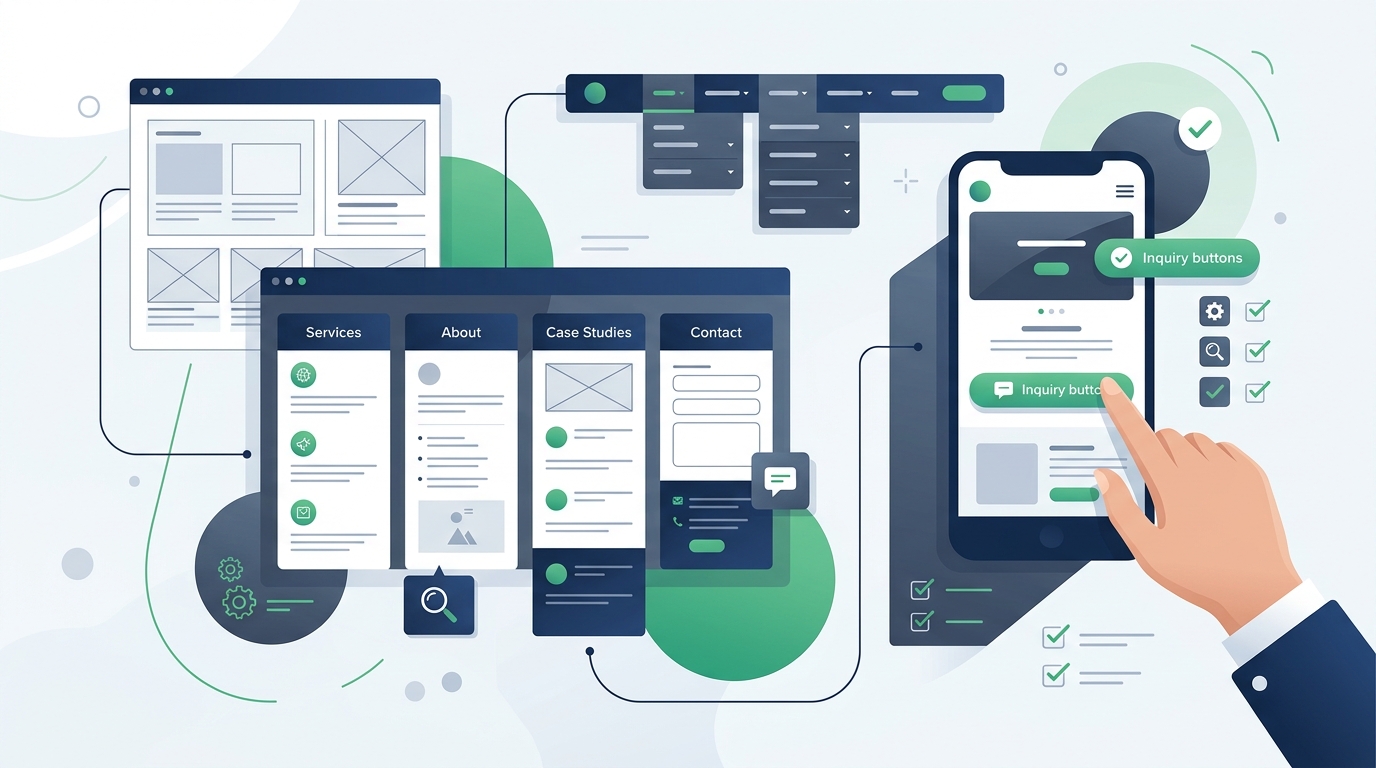
Choosing a WordPress theme for a business website is fundamentally different from selecting a design for a personal hobby blog or an experimental creative portfolio. For a business, your website is a functional commercial asset: it communicates professional credibility, outlines service capabilities, answers prospective client questions, and provides a direct path to inquiries, phone calls, or consultations.
Too often, business owners and marketing teams fall in love with dazzling marketplace demo sites featuring complex full-screen video heroes, aggressive floating animations, and dozens of pre-packaged features. In practice, an over-engineered theme often creates unnecessary technical friction, slows down page rendering, frustrates mobile visitors, and complicates routine maintenance. Selecting the right business theme requires looking past surface-level aesthetics and evaluating whether the theme naturally accommodates your actual content, workflow requirements, and long-term operating goals.
If you are planning a broader web project, reviewing our general evaluation guide on how to choose a WordPress theme and our detailed inspection checklist on what to look for in a WordPress theme will provide valuable foundation. In this guide, we examine how those evaluation principles apply specifically to corporate portals, local service companies, agencies, professional practices, and growing commercial enterprises.
Start With the Business Website's Purpose
Every successful business website begins with a clear operational objective. Themes are constructed around specific structural assumptions: a theme engineered for a law firm requires understated corporate typography and formal bio pages, whereas a creative agency theme emphasizes case study galleries and dynamic visual presentations.
Identify the primary commercial role your website plays across common business models:
Service & Consulting Firms
Consultants, accountants, financial advisors, and B2B agencies need structured service breakdowns, transparent methodology outlines, leadership profiles, and prominent consultation booking paths.
Local Service Companies
Plumbers, electricians, contractors, and medical clinics need immediate phone call buttons, service area maps, operating hours, customer review displays, and streamlined emergency inquiry forms.
Portfolio & Project Businesses
Architects, interior designers, commercial builders, and creative agencies require robust case study templates, high-resolution before-and-after galleries, and client outcome summaries.
Corporate & Enterprise Portals
Mid-sized companies and B2B software vendors need multi-tiered navigation, investor relations pages, career boards, press releases, white paper downloads, and compliance disclosures.
Clarifying whether your primary objective is generating phone calls, capturing qualified lead forms, showcasing completed projects, or distributing white papers prevents you from selecting a theme oriented around an incompatible conversion path.
Decide What Pages You Actually Need
Before purchasing or activating a theme, map out your site's actual information architecture. A common pitfall is adopting an intricate theme that provides forty pre-built demo templates, only to realize that thirty of them are irrelevant to your business model.
Most professional business websites require a focused core of standard pages:
Your theme should effortlessly accommodate these pages without requiring complex custom coding. If a theme makes it difficult to construct a clean, distraction-free service landing page, it will quickly become a liability.
Evaluate the Homepage Layout
The homepage is frequently the first impression a prospective client has of your business. However, visual complexity does not equal commercial effectiveness. An effective business homepage communicates what your company does, who you serve, why you are qualified, and how to get in touch—all within seconds.
When inspecting a theme’s homepage design, look for these practical structural characteristics:
- Clear Hero Section: The area above the fold should feature an unambiguous headline (value proposition), brief explanatory subtext, and a prominent primary call to action (e.g., "Request a Quote", "Book a Consultation", or "View Services"). Avoid themes that require confusing full-screen auto-advancing carousels.
- Structured Service Overviews: Does the theme provide clean 2-, 3-, or 4-column service grids with clear icons, summary blurbs, and links to detailed service pages?
- Logical Content Flow: The homepage should guide the visitor naturally: Problem & Solution → Services Overview → Proof & Case Studies → Company Background → Final Call to Action.
- Restraint Over Gimmicks: Avoid themes that rely on aggressive parallax effects, spinning text counters, or continuous floating elements that distract visitors from your core message.
Navigation and User Experience
Website visitors are impatient. If a prospective client has to hunt through confusing multi-tiered menus just to find your pricing, service capabilities, or phone number, they will return to Google and hire a competitor.
Evaluate the theme's navigation systems against these standards:
- • Header Layout Flexibility:Does the theme offer clean header layouts with space for your logo, primary menu links, business phone number, and a highlighted call-to-action button?
- • Dropdown Menu Behavior:Are dropdown menus smooth and accessible, or do they flicker and collapse if the visitor moves their cursor slightly outside the target zone?
- • Mobile Menu Usability:Does the hamburger menu open quickly, display legible text, and provide expandable submenus that are easy to tap with one thumb?
- • Comprehensive Footer:Does the footer provide flexible widget columns for your physical address, direct contact details, operating hours, navigation links, and copyright notices?
Calls to Action and Contact Paths
The ultimate purpose of a business website is to initiate communication. A theme should make reaching out seamless across whatever channels your customers prefer.
Consider how the theme integrates essential commercial contact mechanisms:
Direct Phone & Email Links
Are phone numbers linked with tel: and emails with mailto: protocols, allowing immediate one-tap calling from mobile browsers?
Form Container Styling
Does the theme provide clean, high-contrast form styling for contact forms, quote requests, and appointment booking fields without layout misalignment?
Header CTA Highlight
Can you configure a distinct button in the top navigation header (e.g., "Get a Quote") that remains prominent across all pages?
Ensure the theme plays nicely with standard WordPress form plugins rather than bundling an obscure, unsupported proprietary contact form script.
Trust-Building Business Content
In online commerce, trust is the primary currency. Prospective buyers need evidence that your business is legitimate, qualified, and established before they submit sensitive information or sign a contract.
A well-designed business theme should provide dedicated, professional templates for presenting legitimate trust assets:
- Team & Leadership Bios: Clean headshot grids with job titles, professional credentials, and short biographies showing real people behind the company.
- Accreditations & Certifications: Tasteful emblem or logo showcase sections for industry associations, ISO certifications, trade licenses, or safety accreditations.
- Authentic Client Testimonials: Clean review cards or blockquote layouts that clearly present genuine client feedback and author designations.
- Case Studies & Project Summaries: Structured project layouts that present client challenges, solutions implemented, and verifiable outcomes.
- Physical Location Proof: Integration options for physical office addresses, Google Maps embeds, and operating hours.
Responsive and Mobile Experience
B2B decision-makers, commercial procurement officers, and retail customers alike frequently inspect websites from tablets and smartphones between meetings or on the road. If your theme delivers a cramped or clumsy mobile interface, your credibility suffers.
When evaluating a business theme, test the live demo on an actual smartphone:
- Viewport Scaling: Does content resize fluidly without generating awkward horizontal scrollbars?
- Touch Target Sizing: Are phone numbers, inquiry buttons, and menu items at least 44 × 44 pixels so they can be tapped easily without mis-clicks?
- Typography Legibility: Does body copy remain crisp and readable (at least 16px) without requiring users to pinch and zoom?
- Form Usability on Mobile: Do contact forms render cleanly, with appropriate keyboard prompts (email keyboard for email fields, numeric keypad for phone numbers)?
Performance Considerations
Website speed directly impacts visitor retention and technical crawlability. When a website takes seconds to load, potential clients frequently hit the back button and visit a competitor.
However, be cautious of inflated speed claims. Theme marketplaces are filled with marketing badges boasting "99/100 PageSpeed" or "0.3s Load Time." In reality, those figures are generated on empty demo servers with no tracking scripts, no live customer forms, and heavy caching.
Instead of relying on marketing promises, examine the architectural discipline of the theme:
Asset Weight & Script Modularity
Does the theme load modular CSS and JavaScript, or does it inject a massive multi-megabyte bundle of unused slider libraries and animation frameworks on every page?
Font Loading Discipline
Does the theme limit Google Fonts to 1 or 2 standard font families with system font fallbacks, or does it attempt to download ten different weights that delay text rendering?
Caching Plugin Compatibility
Does the theme adhere to standard WordPress coding rules so it works seamlessly alongside server caching tools and object caches?
Keep in mind that overall site performance also depends heavily on quality web hosting infrastructure, server-level caching, and properly compressed image assets—not just the theme alone.
Accessibility and Readability (A11y)
Digital accessibility ensures that your business website is usable by all individuals, including clients with visual, physical, or cognitive impairments. Ensuring accessibility is also increasingly a legal compliance requirement for commercial enterprises.
Inspect these practical accessibility essentials in prospective themes:
- Contrast Ratios: Text elements, button labels, and navigation links should meet WCAG AA standards (at least 4.5:1 contrast against backgrounds). Avoid themes that use faint light-gray text on white backgrounds.
- Keyboard Focus Indicators: When pressing the Tab key, does a clear outline indicate which menu link, form field, or button is currently selected?
- Proper Form Labels: Form inputs should have explicit, permanent label tags rather than relying solely on disappearing placeholder text.
- Semantic HTML Structure: The theme should use correct semantic tags (
<header>,<nav>,<main>,<footer>) so screen readers can parse page landmarks easily.
SEO-Friendly Theme Fundamentals
A common marketing claim is that a specific theme will "rank #1 on Google." In reality, no theme can guarantee search engine rankings. Search visibility is determined by content quality, search intent fulfillment, domain authority, backlink profiles, and technical site architecture.
What a good theme can do is provide a clean, standards-compliant technical foundation that search engine crawlers can interpret without error:
- Logical Heading Hierarchy: Exactly one
<h1>tag per page, followed by properly nested<h2>and<h3>subheadings. - Clean Crawlable Navigation: Standard HTML links that web spiders can discover and follow, rather than JavaScript-only navigation triggers.
- SEO Plugin Interoperability: Clean integration with reputable SEO plugins, allowing custom title tags, meta descriptions, canonical URLs, and Open Graph cards to be injected without conflicts.
- Schema Markup Readiness: Adherence to clean microdata and JSON-LD structured data formats for Organization, LocalBusiness, and Article schemas.
Page Builders and Customization
Business themes generally take one of two primary design paths: native Block Editor (Gutenberg) architecture or third-party visual page builders.
Native WordPress Block Editor (FSE / Gutenberg)
Block-based themes use native WordPress core features. They load faster, generate clean code, eliminate extra software licensing fees, and receive ongoing support directly from the WordPress core team.
Third-Party Page Builders
Visual builders provide free-form drag-and-drop design flexibility for marketing teams. However, they add external plugin dependencies, can increase database query complexity, and can complicate site speed maintenance.
Neither approach is universally superior. A business with a dedicated developer may prefer the clean speed of native blocks, while an agency marketing manager may prioritize visual builder flexibility. The critical step is understanding the long-term maintenance requirements before making your choice.
Plugin Compatibility and Business Integrations
A business website relies on a network of functional plugins to handle operations, lead management, and marketing:
Ensure your chosen theme adheres to standard WordPress action and filter hooks. If a theme hardcodes its own proprietary contact forms, slider mechanisms, or analytics tools into theme files, it can conflict with standard industry plugins.
For a curated list of reliable, production-tested tools, explore our WordPress plugins guide. If your business also sells products or accepts online payments, consult our specialized guide on how to choose a WordPress theme for WooCommerce.
Blog, Portfolio, and Case Studies
In addition to the homepage and service descriptions, content marketing is a primary driver of organic business acquisition. Publishing insightful industry articles, client success stories, and case studies establishes professional authority.
Verify that prospective themes provide thoughtful editorial layouts:
- Comfortable Reading Column: Article reading containers should maintain an optimal width (approx. 700px–850px) with generous line-height for comfortable long-form reading, rather than stretching across 100% of widescreen monitors.
- Flexible Case Study Layouts: Case study templates should accommodate project metadata (client name, industry, service provided, results achieved) alongside high-resolution project imagery.
- Author and Category Filtering: For multi-author corporate blogs, clean author bio boxes and category archive pages help organize industry content cleanly.
Multilingual and RTL Considerations
If your enterprise serves international markets, multilingual support is a non-negotiable prerequisite. Check whether the theme declares translation readiness (including standard .pot language files) and compatibility with standard multilingual plugins like WPML or Polylang.
Additionally, if you operate in regions using Right-to-Left writing systems (such as Arabic or Hebrew), verify that the theme includes a dedicated rtl.css stylesheet so layouts, buttons, and navigation flip orientation correctly.
Customization Without Creating Future Problems
Customizing a theme to match your brand guidelines (hex colors, typography, header styles) should be straightforward and update-safe.
Follow these architectural best practices:
- Never Edit Parent Theme Files Directly: Direct modifications to
style.cssorfunctions.phpin a parent theme will be erased the moment you install a theme update. - Use Child Themes for Custom Code: If your project requires custom PHP hooks or specialized CSS overrides, always deploy a child theme to safeguard customizations.
- Utilize Native Customizer / Site Editor Controls: Standard theme settings for color palettes and font styling stored in the database remain safe across theme version upgrades.
Updates, Support, and Documentation
For a business, website stability is paramount. An abandoned theme whose developer has ceased publishing updates poses severe security vulnerabilities and will eventually break when WordPress core updates.
Before deploying a theme, inspect the vendor’s maintenance record:
- • Changelog History:Has the theme been updated within the last 60 to 90 days? Review recent release notes for active bug fixes and PHP version bumps.
- • Comprehensive Documentation:Does the vendor provide searchable setup guides, video walkthroughs, and troubleshooting documentation?
- • Dedicated Support Channels:What happens if your team encounters an unexpected conflict? Is there an accessible helpdesk ticket system or email support?
Licensing and Long-Term Cost
Commercial themes operate under diverse licensing models. Understanding total long-term ownership costs is essential for accurate budgeting:
- Annual Recurring Licenses: Many premium vendors charge an annual fee for ongoing security updates and support access. Factor this recurring fee into your operating budget.
- One-Time Lifetime Purchases: Some marketplace licenses include lifetime updates with 6 to 12 months of developer support, with optional paid support extensions.
- License Domain Limits: Confirm whether the license covers a staging or development environment in addition to your primary live production domain.
- Refund Policies: Ensure the vendor provides a clear money-back guarantee (typically 14 to 30 days) allowing you to test the theme on a staging server risk-free.
Theme Lock-In and Long-Term Flexibility
A theme should control visual styling, while plugins should handle custom business data. When a theme blurs this line by hardcoding custom post types (like team members or testimonials) and proprietary shortcodes into theme files, it creates severe lock-in.
If you decide to rebrand or switch themes in three years, moving away from a theme with heavy lock-in can result in broken shortcode text scattered across your website. Selecting themes that store business content in standard WordPress posts or modular plugins ensures your commercial data remains portable.
Free vs. Premium: Which Makes Sense for a Business Website?
Both free and commercial themes have legitimate roles in business web development. As examined in our comprehensive comparison of free vs. premium WordPress themes, the optimal choice depends on your internal technical expertise and support requirements:
Free Themes (via WordPress.org): Ideal for simple service companies, startups, and small local businesses where basic layout customization is sufficient and strict adherence to open-source coding standards is desired.
Premium Themes: Ideal for growing corporate enterprises, specialized agencies, and organizations that benefit from pre-packaged corporate templates, advanced header builders, and direct developer support tickets when deadlines are tight.
A Practical Business Theme Checklist
Before committing to a theme for your company's web portal, run through this interactive evaluation checklist:
Common Mistakes When Choosing a Business Theme
Avoid these common pitfalls that cost business owners time and resources during website launches:
Frequently Asked Questions
Clear, factual answers to common questions about selecting and maintaining a WordPress theme for a business website.
Conclusion: Finding the Right Match for Your Business
There is no single "best" WordPress theme that universally fits every business enterprise. An industrial manufacturing company requires a fundamentally different site structure, header navigation, and inquiry mechanism than a creative design boutique or local medical practice.
The most effective theme for your business is the one that naturally accommodates your actual service offerings, presents clear contact paths, delivers an intuitive mobile experience, adheres strictly to WordPress coding standards, receives continuous developer updates, and avoids locking your company’s content into proprietary shortcodes. By basing your choice on clear operational requirements rather than superficial demo aesthetics, you create a stable, professional digital home for your company.
To inspect curated options across diverse business and service categories, browse our Curated Themes Showcase, or review our foundational guide on what you need to build a WordPress website for complete stack planning.
View our side-by-side comparative analysis, pricing breakdowns, and editorial guides.